

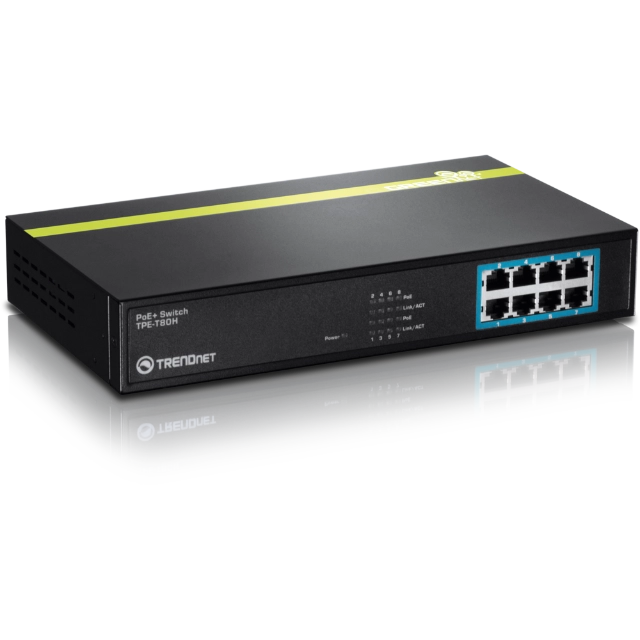
The TRENDnet TPE-T80H is a compact, rack-mountable 8-port Fast Ethernet PoE+ switch built for delivering data and power over existing Ethernet cables to PoE-enabled devices such as PTZ cameras, wireless access points, IP cameras, and VoIP phones.
8 Fast Ethernet PoE+ Ports
All 8 ports support both IEEE 802.3af PoE (up to 15.4W per port) and IEEE 802.3at PoE+ (up to 30W per port), with automatic detection and classification of connected devices. The total PoE power budget is 110W, covering multiple powered devices simultaneously from a single internal power supply.
1.6Gbps Switching Capacity
The TPE-T80H delivers a 1.6Gbps switching capacity with a forwarding rate of 1.19Mpps, a 56KB packet buffer, and a 1K MAC address table, providing reliable and stable network performance for small to mid-size event and production deployments.
Fanless Design and Internal Power Supply
A completely fanless design ensures completely silent operation in any environment, making it well suited for use alongside audio equipment and in quiet conference or presentation settings. The internal power supply accepts 110 to 240V AC input for broad compatibility across venues.
Rack-Mountable Metal Housing
The TPE-T80H ships with a rack mount kit included, fitting into a standard equipment rack for organized cable management and easy integration into an AV or network rack alongside other production gear. The rugged metal housing is built to handle the demands of regular event deployment.
GREENnet Energy Saving
TRENDnet’s built-in GREENnet technology automatically adjusts power consumption based on link status and cable length, reducing energy use when ports are inactive without any manual configuration required.